

The flight variables (True Heading, Crosswind, etc.) are grouped into
Categories (e.g. Heading) to make them easier to find. If you prefer,
you can also view the list of all variables in one alphabetized list by
selecting the Alphabetical tab at the bottom of the screen.
|
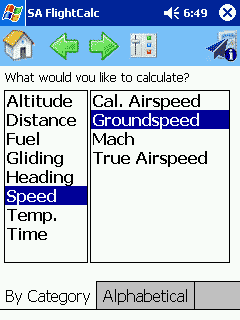 |
 In the previous step, we selected
Groundspeed. As FlightCalc knows how to calculate
Groundspeed several different ways, each using different known variables, the system asks you how you'd like to calculate it. To help you decide,
FlightCalc shows variables are required for each calculation. |
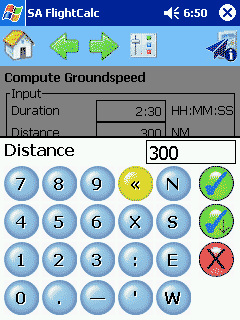 |
 This is the core to
FlightCalc. Here, we enter the required input variables using a custom on-screen keyboard with just the keys you need -- and large enough for finger use.
In practice, you seldom have to enter all these variables because FlightCalc remembers the results of previous calculations and fills-in known variables for you. That is, if we had calculated
Duration in a previous calculation, that result would be shown in the
Duration box; No need to write down intermediate steps or use copy and paste.
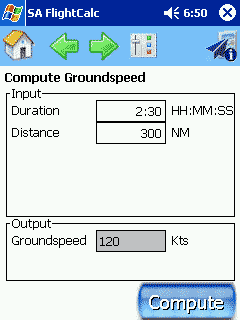
You might have noticed that Duration and Distance are in a blue underlined font, just like a link on a Web page. That's because these are links, too. Click any of the blue words and
FlightCalc will jump to a function that calculates it. That is, if you get to a step where you need a variable that you haven't calculated yet, no problem, just click the name of the needed variable, do the calculation, then press the
Back arrow and the result will be filled-in. |
 |
