


 |
 |
 |
 |
 |

Training
Voyager and FlyQ EFB are easy to use but they have a lot of features so a little knowledge lets you take full advantage of al the features. It's a little like sitting in the cockpit of an aircraft for the first time...... there are a lot of buttons and switches. But like a well-designed aircraft, once you fly FlyQ EFB or Voyager for a while everything is obvious and intuitive.
In order to familiarize you with the app, we have created a variety of training tools and aids. These will help potential customers, new customers, and even long-time users. Available are:
- Demo Videos, which are always available to view at anytime.
- Live Webinars which you can sign up for, and listen and watch while one of our staff walks you through some aspect of FlyQ EFB or Voyager.
- Voyager has extensive help from the Help Menu that is always available and context sensitive. So if you see a Help button within a window, you know that it will open to an explanation that is relevant to that window.
- For Voyager, a Printed Manual, which is the complete Help Menu in a PDF format. You can download it here, or from within the Voyager Help menu.
- For FlyQ EFB, a great Getting Started Guide.
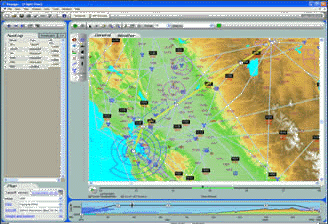 |

We've assembled several animated demonstrations of Voyager.
Overviews
 Using the SkyPad
Voyager Overview (Voyager 4)
DUAT Voyager
(The
video is for Voyager FreeFlight but the products are very
similar.)
Webinar: What's New in
Voyager 4
 GlassView (moving map) (10 minutes)
 SmartPlan (flight planning) (11 minutes)
 SmartPlates (IFR procedures) (12 minutes)
In-Depth (applies to all modules)
Using and Modifying Charts (Voyager
4)
Information (6 minutes)
Printing (6 minutes)
Weather (10 minutes)
GPS/Options/Tools (5 minutes)
High Performance Aircraft (6 minutes)
These require Macromedia Flash. If you don't already have Flash (you probably do), you can download it free of charge from Macromedia.
Select a recorded Webinar to watch it immediately. | |
| 11/24/2015 | CAP (Civil Air Patrol) and Aerial Photography with FlyQ EFB |
| Previous versions of FlyQ EFB had various forms of CAP grids on the map. New version 2.2 adds 8 search patterns for CAP and aerial photography missions. This webinar should be seen by all CAP pilots. | |
| 11/23/2015 | ATLAS and the FlyQ Family |
| All-new Web-based ATLAS is an incredible addition to the FlyQ family. We show you how to plan on your PC or Mac with ATLAS, get quick weather updates or make changes on your iPhone with FlyQ Pocket then fly with FlyQ EFB on your iPad. | |
| 11/18/2015 | Advanced FlyQ EFB |
| FlyQ EFB includes a lot of features that many users may not have discovered yet. We'll hit on some great tips and tricks in this webinar. | |
| 11/16/2015 | Intro to FlyQ EFB |
| This is a great introduction for those new to FlyQ EFB or who want a quick refresher of the basics. | |
| 11/25/2013 | All About ADS-B |
| ADS-B has quickly become a crucial element of flying. This popular Webinar covers selecting and using an ADS-B receiver. Considerable emphasis is placed on "real world" limitations of weather and, especially, traffic. | |
| 11/22/2013 | Voyager Boot Camp - Advanced (Inflight) |
| This Webinar is the third in a three session "boot camp" that demonstrates both introductory and advanced topics. This presentation is primarily focussed on Voyager's rich inflight features using the GlassView and XM modules. Some preflight features will also be mentioned. | |
| 11/22/2013 | FlyQ EFB Boot Camp - Cockpit Tips and Tricks |
| This Webinar is the third in a three session "boot camp" that demonstrates both introductory and advanced topics. This presentation covers using FlyQ EFB during a flight including modifying an existing flight plan, the use of Direct To, approach plates, airport information, the Nearest features, and more. | |
| 11/21/2013 | FlyQ EFB Boot Camp - Flight Planning and Weather |
| This Webinar is the second in a three session "boot camp" that demonstrates both introductory and advanced topics. This presentation covers all preflight topics including weather and flight planning. | |
| 11/21/2013 | Voyager Boot Camp - Advanced (Preflight) |
| This Webinar is the second in a three session "boot camp" that demonstrates both introductory and advanced topics. This presentation is primarily focussed on Voyager's preflight capabilities including weather, flight planning, and approach plates using the SmartPlan and SmartPlates modules. We'll also touch on Voyager's inflight features using the GlassView module. | |
| 11/20/2013 | FlyQ EFB Boot Camp - Intro to FlyQ EFB |
| AOPA FlyQ EFB has quickly become a top-choice for pilots because of its revolutionary mix of simplicity and power. FlyQ EFB includes innovative features like split-screen, 3D synthetic vision, support for a variety of different ADS-B receivers, wind-optimized flight planning, and more. This Webinar is the first in a three session "boot camp" that introduces FlyQ EFB to new users and, in the later Webinars, demonstrates advanced topics. | |
| 11/19/2013 | iPads in the Cockpit |
| This extremely popular Webinar discusses various issues in using an iPad in the cockpit. It covers choosing an iPad, the pros and cons of various iPad apps, and selecting an ADS-B receiver and GPS. It is strongly recommended for everyone using or considering an iPad. | |
| 11/19/2013 | Voyager Boot Camp - Intro to Voyager |
| This Webinar is the first in a three session "boot camp" that introduces Voyager to new users and, in the later Webinars, demonstrates advanced topics. Note: This presentation is given twice (once on Tuesday, once on Wednesday) so you only need to attend one or the other. The more advanced presentations cover specific topics and are only presented once each. | |
Select a recorded Webinar to watch it immediately. |
Voyager Help Menu and Printed Manual
There is an extensive, updated Help system within Voyager. Select Common Tasks from the Help menu to begin.
In addition, a comprehensive User's Guide, suitable for printing, is available in PDF form.
Click to download the complete Voyager User's Guide.
Tip: The printed manual is fairly large (about 20 MB) so we suggest you download it and save it to your Desktop rather than browse it on the Web each time you need it. To do that, use your mouse to right-click the download link above and select Save Target As rather than just click the link.
If you would like an Adobe PDF copy of the Voyager Brochure, please download it here.
