


 |
 |
 |
 |
 |

SkyPad3 Commonly Asked Questions
What's new in the SkyPad3 compared to the SkyPad2?
The SkyPad2 was incredibly successful so we've had lots of great feedback from customers. Everything we learned went into making the new SkyPad3, the best EFB ever made.
1. State of the art dual-core CPU means more responsive system, critical when flying.
2. State of the art ATI Radeon graphics chip means silky-smooth map zooms and pans. Pinch to zoom works and feels like an iPad.
3. Much better battery life. Even with all power-savings featured turned off (you don't want the device to sleep while flying), the new SkyPad3 runs for a solid 3.5 hours on battery. The SkyPad2 ran for about 1.5 to 2 hours.
4. Included snap-on, high-quality keyboard so the SkyPad3 is equally at home in the cockpit or used as a standard Windows laptop (that is, you can type email, edit Word documents, etc.).
5. Solid-state drive standard. No more spinning hard disks so the system works faster and more reliably at altitude.
6. Improved version of the Voyager software for easier, faster, and more reliable use. For example, in the SkyPad2, accidentally touching the map would often show information you didn't need. With the SkyPad3, you have to double-tap or press and hold to see this info to ensure you really want it. Many buttons and tabs are also larger so they're easier to tap.
7. 30% brighter screen for better use in sunlight.
8. 67% higher screen resolution for crisper, more detailed graphics. At the same time, Voyager was adapted to this new screen to make on-screen items larger and easier to read and tap.
Is there an trade-in or upgrade program for owners previous SkyPads?
We're sorry but no. We know many SkyPad owners who sold their older units on eBay or Craigslist to buy a new SkyPad.
How has Seattle Avionics customized Windows? Can it run other Windows applications?
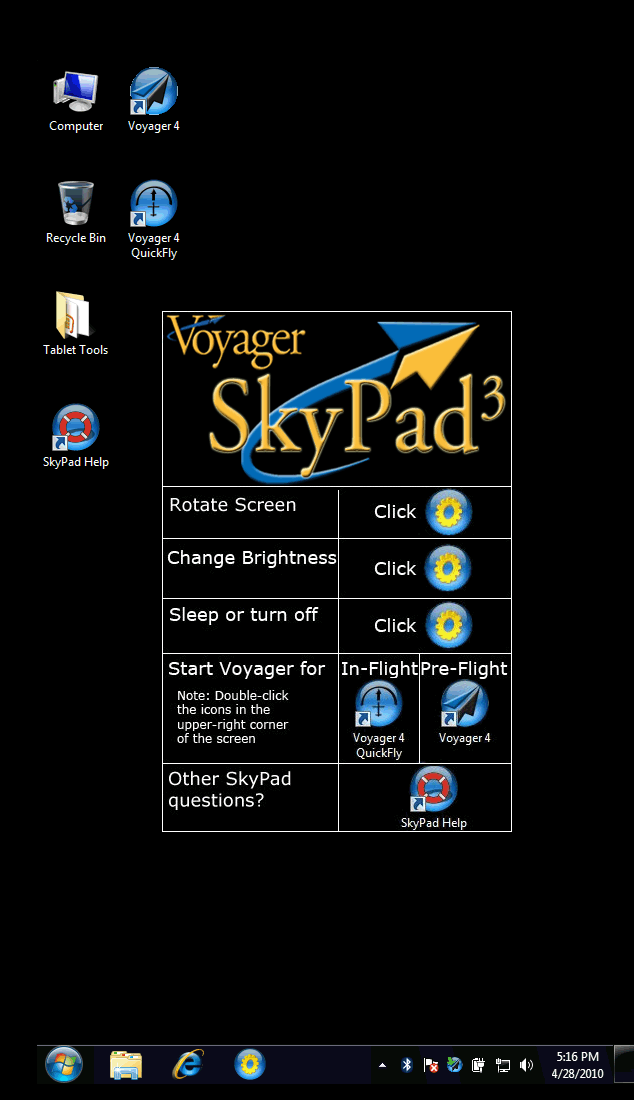
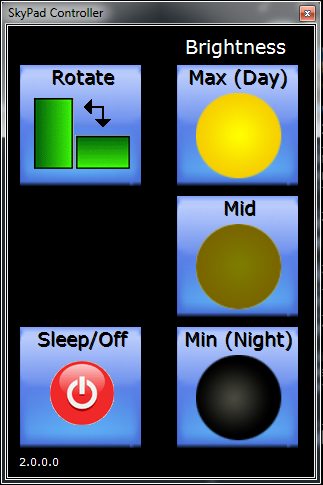
Each SkyPad3 has been carefully tuned by Seattle Avionics engineers to, as they put it, "remove the garbage" from Windows 7. That means no pre-installed trial versions of anything, faster start up time, fewer annoying Windows messages, cleaner Windows Desktop, larger icons and an overall streamlined experience specifically designed for cockpit use. We also created a SkyPad Controller application (see below) that makes it especially easy to change screen brightness, rotate the screen or shut-down the SkyPad3. Finally, each SkyPad3 comes with Voyager and all current data, customized and pre-installed for you. That is, when you get it, it's ready to go with your pilot profile, your plane profile and all the default settings you like.
Of course, none of the streamlining we've done affect its' ability to run other Windows applications. While the device isn't made for high-intensity computing applications such as CAD or video production, it can certainly run Microsoft Office and all other general applications.
The SkyPad3 comes with a detailed Help document (the life ring icon on the Windows Desktop) that answers common usage questions.
How does the SkyPad3 compare to a Samsung Q1, a Fujitsu 1630, a Motion Computing LS 800, or a Netbook
We've prepared a very detailed comparison document that gives the advantages and disadvantages of each of these devices relative to the SkyPad3.
Can I see the screen in the cockpit?
The SkyPad3 has a screen that is brighter than most laptops and about 30% brighter than the SkyPad2. It can easily be read in the cockpit, even in sunlight, and each SkyPad3 comes with simple tips for using it in very bright situations. It also has a special Night mode that turns the screen brightness down very low.
Does it fit on a yoke?
The device is 10.5" x 7.5" by 0.5" so it fits most yokes. RAM Mount makes a yoke mount for the SkyPad3. You'll need to buy two distinct pieces, one a mounting bracket for the device (RAM part # 234-6) and one a connector to the yoke (RAM # 121-202U). They sell this as a package for about $75 and as individual parts. Please contact RAM for more information as each plane is different. See http://www.ram-mount.com.
How do I power it in the plane?
The SkyPad3 runs for about 3.5 hours on the standard 4-cell battery. If you want to plug it into your plane's power, you can use add a DC power adapter for $59. The adapter takes an input of 12-16VDC so works for most planes. If your plane uses 24 volt power, you may want to use an inverter instead such as one available from Sporty's for $49.95.
What do I need to see weather?
This depends on your needs. The SkyPad3 is a full Tablet PC with both Ethernet (wired) and Wi-Fi (wireless) Internet capabilities. Therefore, while a standalone GPS device needs an XM receiver to show weather in the cockpit, the SkyPad3 simply needs an Internet connection. While you can't currently connect to the Internet while flying, whenever you pre-flight plan or even turn the device on at an FBO while refueling, the SkyPad3 will quickly download updated weather and store it on its hard disk for use in flight. Thus, you can see radar and satellite images, see wind arrows, read METARs and TAFs, etc. for no additional cost simply by using the SkyPad's inherent Internet connectivity. Of course, this weather could be a few hours old by the time you use it while in flight so you won't be able to "thread the needle" through storm cells, but for general weather information, it generally suffices.
If you need up-to-the-minute weather, you can purchase an XM receiver from us and subscribe to the data from WxWorx (about $55 per month). The receiver is available from us, complete with the necessary connectivity software, for either $589 for a USB version or $695 for a Bluetooth version. We suggest the USB version for easier, more reliable connectivity but you should speak with a Seattle Avionics sales representative for more information.
Tell me more about the GPS. Is it WAAS? How does it work with the SkyPad?
|
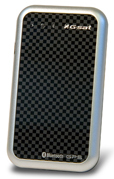
The SkyPad3 comes bundled with a great portable GPS that we've been selling for years. It's tiny (about the size of a business card and a quarter of an inch thick), WAAS-enabled for high accuracy and runs on rechargeable lithium-ion batteries that last about 12 hours per charge. Not only that, like many headphones, it has an auto shutoff feature that turns itself off when it hasn't been connected to a computer for about 5 minutes so you don't have to worry about accidentally leaving it on. It can be recharged by plugging it into your computer via the included USB cable or from the included DC lighter adapter. |
What is the ongoing annual cost?
The SkyPad3 generally comes with three months of updates at our EFB (top-of-the-line) subscription level. This provides all IFR approach plates geo-referenced to show your position on the plate, geo-referenced enroute charts (both Low and High altitude), digital data, fuel prices updated daily, weather, TFRs, geo-referenced VFR Sectionals and all updates to the Voyager application itself.
Most customers have chosen to purchase either an additional 12 month subscription or a lifetime data subscription. More info...